

Add them when you open a position
1
Open the order form
Choose the side, type and quantity as usual. See Order Types.
2
Add Stop Loss / Take Profit
Click + Add Stop Loss / Take Profit and enter a Stop Loss price, a Take Profit price, or both.
3
Review and submit
The order preview shows the order’s effect on your account. Submit, and the stop and take profit are attached to the position the order opens.
Add them to an open position
After an order fills, the status window offers Add TP/SL, or shows “No exit levels set on this position.” You can also open the position from Positions and set or change its levels there, then choose Apply Changes. When you set a level on an open position, the panel shows what it would mean: the profit or loss at the chosen trigger and how it compares with your liquidation price.Which price triggers them
Like any trigger order, a stop loss or take profit fires when the price you choose under Trigger on reaches its level: the Mark Price, the Index Price or the Last Price. See Order Types.Good practice
- Keep the stop well before the liquidation price. A stop triggers at its level, but in a fast market the fill can be worse. If the liquidation price is close behind the stop, a gap can carry the position into liquidation first.
- Set the stop from the trade idea, then size the position, so hitting the stop costs an amount you’re comfortable with.
- Funding moves the liquidation price. On the paying side, check the gap again on positions you hold for days.
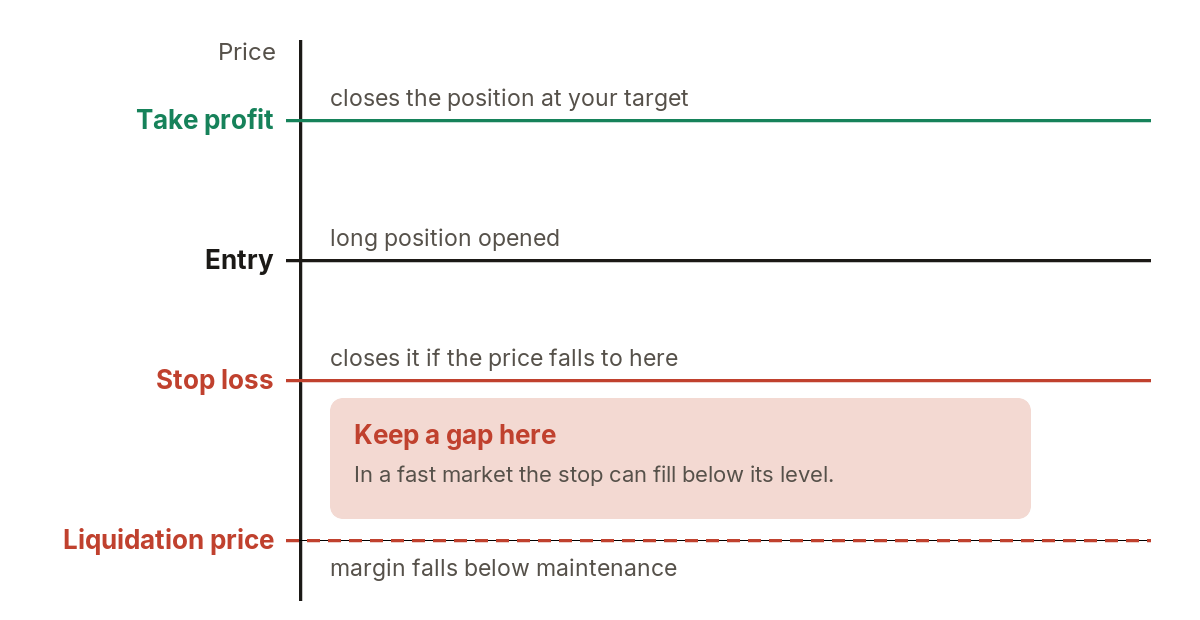
Exit levels on a long position.